
- Compare three records: what was authorized, what was completed and what was invoiced.
- A not-to-exceed amount does not automatically authorize different work or unsupported charges.
- Use the worked CAD 660 invoice to distinguish a CAD 155 scope variance from a CAD 110 ceiling exception.
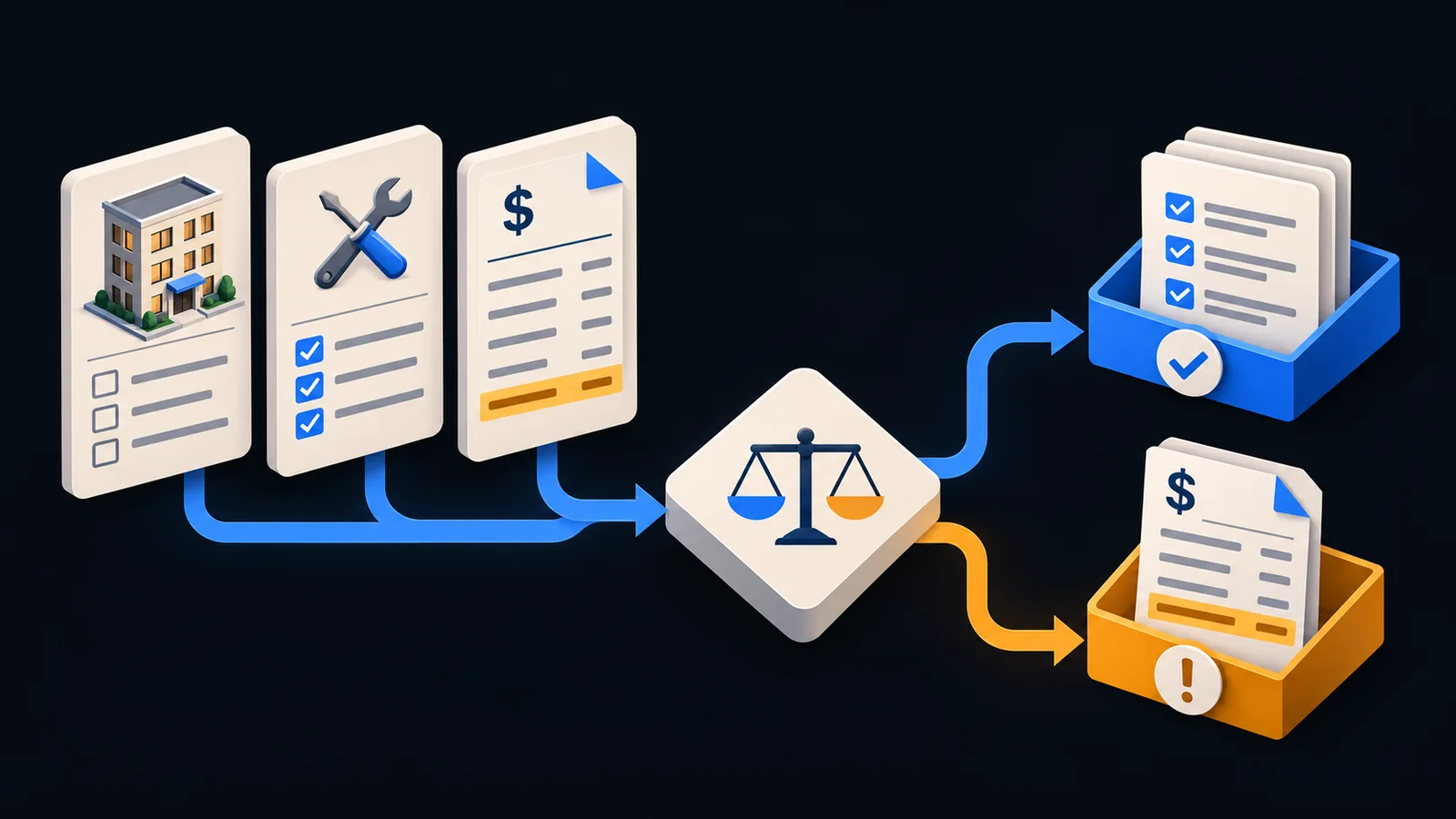
Match the obligation before comparing the total
A familiar vendor and plausible total are weak matching evidence when the same contractor works across several properties. Store a stable property identifier, unit or common-area location, supplier identifier, work-order reference and the version that authorized the work. Keep the original invoice and completion record attached to that identity.
Resolve identity conflicts before calculating whether the price is acceptable. An invoice for SOUTH-04 cannot be silently attached to a NORTH-04 work order because both records mention cabinet hardware. A supplier trading-name variation also needs a verified identity mapping, not a model's guess that two names sound similar.
This is one decision within the complete invoice processing workflow. Matching prepares evidence for the invoice decision; it does not, by itself, establish authority to post or pay.
Worked example: a CAD 660 invoice against CAD 505 of authorized work
WO-701 v1 authorizes cabinet-hardware replacement at NORTH-04, unit 204, by SUP-071. The example includes three labour hours at CAD 95, CAD 180 of materials and CAD 40 travel: CAD 505 before applicable tax. The separate not-to-exceed ceiling is CAD 550. Tax calculation and contractual interpretation are outside this worked example.
COMP-701 records three labour hours and the completed hardware replacement. INV-701 charges four labour hours, the same materials and travel, plus a new CAD 60 callout. Its arithmetic is correct at CAD 660. The discrepancy is not an addition error: the supplied evidence does not support the extra labour hour or callout charge.
| Line | Authorized / completion evidence | Invoice | Review difference |
|---|---|---|---|
| Labour | 3 × 95 = 285; three hours reported | 4 × 95 = 380 | 95 for additional hour |
| Materials | 180 authorized | 180 | 0 under example comparison |
| Travel | 40 authorized | 40 | 0 under example comparison |
| Callout | No authority or completion evidence supplied | 60 | 60 unsupported |
| Net total | 505 authorized | 660 | 155 above authorized lines |
| Ceiling | 550 not-to-exceed | 660 | 110 above ceiling |
Download the worked example
- Complete work order, completion record and invoice
- Completed matching and reviewer checklist
- Six identity, scope and recovery tests
Adapt these working structures to your process. They are examples, with no claimed client results or production accuracy measurements.
Explain the scope difference and ceiling exception separately
The two differences answer different questions. CAD 660 minus CAD 505 equals CAD 155 not supported by the supplied authorization lines. CAD 660 minus CAD 550 equals CAD 110 above the example ceiling. Reducing the payable by CAD 110 would put it at the ceiling while still leaving CAD 45 above the authorized scope. That is why a total-only rule is inadequate.
An invoice of CAD 540 could also need review if it substitutes a different service or adds an unapproved charge. A ceiling limits an amount under the example policy; it is not blanket permission to perform any work below that number. Have the organization define authority for scope changes, rates, emergency exceptions and final invoice decisions before configuring release rules.
Present both source values and the reason for the difference to the reviewer. Keep the supplier's original invoice unchanged. If a valid variation exists elsewhere, attach it with its effective version and authorized decision. If the invoice needs correction, retain the replacement and its relationship to the earlier document instead of overwriting the history.
Treat completion evidence as a distinct gate
A work-order status marked complete may be sufficient for some bounded tasks and insufficient for others. Define the evidence your process actually requires: an authorized completion record, quantities, agreed deliverables or another source appropriate to the work. The automation should report whether that evidence is present and consistent, not infer satisfactory completion from the existence of an invoice.
In WO-701, the completion record supports three labour hours. It does not establish that a fourth hour was never worked; it establishes that the supplied evidence does not yet support the charge. That distinction makes the review task useful: request the missing support or applicable variation rather than accusing the supplier or automatically deleting a line.
When evidence cannot be accessed, hold the comparison as unavailable. A failed property-system lookup is not a zero balance, a missing work order or proof that no work occurred. Preserve the lookup error and route it to someone who can recover the source or provide an approved manual comparison.
- IdentifyConfirm property, unit, supplier, work order and active authorization version.
- CompareCheck rates, quantities, charges, completion evidence and cumulative prior billing where applicable.
- ExplainSeparate unsupported scope, ceiling exceptions, identity conflicts and unavailable evidence.
- DecideThe designated reviewer records a version-bound acceptance, correction request or unresolved hold.
- VerifyAfter any approved update, confirm the destination record and retain its identity before closing.
Check repeated submissions and cumulative billing
A second email of the same invoice should not become a second obligation. Preserve source-event identifiers and the relationship between invoice versions. The same work order can also have legitimate staged invoices, so matching only on work-order number would reject valid billing. Compare what has already been billed against the scope and quantities available for this invoice.
For different number formats or a new identifier that may represent the same obligation, use the duplicate invoice detection guide and comparison tool. Its review route deliberately distinguishes a duplicate candidate from a confirmed duplicate payment.
If a destination write times out after approval, find the destination by the stable work-order and invoice references before retrying. A technical timeout can occur after a record was created. Keep the item contained until the business outcome is known; repeatedly pressing retry can create the duplicate the matching process was meant to prevent.
Combine source extraction with explicit matching rules
Technology references checked November 2, 2026: Microsoft Dynamics 365 documents invoice matching across purchase orders, receipts, quantities, prices and configured tolerances. That product model is a useful reference for separating checks, but a property work order is not automatically equivalent to a purchase order or product receipt. Map your own evidence and authorization policy explicitly.
A document service or current model such as GPT-6.1 Sol can prepare candidate property, supplier, work-reference and line-item fields with source references. A more involved document package may justify evaluating GPT-6 Astra. Compare them on your own labelled normal and conflicting records; these are candidates, not measured winners.
Use deterministic arithmetic for totals and explicit rules for identifiers and authority. Test wrong properties, repeated invoice submissions, partial work, changed rates, missing completion evidence and approved variations. Measure reviewer correction effort and incorrect releases alongside extraction accuracy. A fluent explanation does not prove the invoice is payable.
Pilot one work category with an accountable reviewer
Start with a bounded category whose authorization and completion records can be inspected. Run the six downloadable cases in draft mode. Have the property reviewer confirm that each exception names the affected line, source and decision required. Do not configure an automatic posting step while the team is still debating who may approve an overage.
Track unmatched invoice count, time waiting for evidence, returned invoices, manual correction minutes and items needing a destination reconciliation. Keep matching time separate from approval waiting time. Otherwise a quicker extraction step can hide an unchanged backlog of unresolved work.
OpSmith's property management automation work connects these handoffs with the existing property and accounting systems. Bring one work category, its source records and the current approval policy to the first review.
Preserve the intake basis before authorized work and billing
The earlier maintenance request triage workflow establishes report relationships and an owned next action before dispatch. Carry its verified location and authorized handoff context forward, while retaining separate evidence of actual completion and invoice authority.
Frequently asked questions
Is a work-order number enough to approve an invoice?
No. It identifies context, but you still need the applicable supplier, property, scope, completion evidence, prior billing and decision authority. The matching result should identify what was compared and what remains unresolved.
Can we automatically reject an invoice above the ceiling?
Route it according to your authorized policy. An approved variation or another valid exception may exist. This worked example sends the overage to review; it does not establish a universal rejection or payment rule.
What happens with partial completion or progress invoices?
Compare the invoiced portion with authorized milestones, completed quantities and cumulative prior billing. Do not treat every repeated work-order reference as a duplicate, or the remaining authorized total as proof that a particular line has been completed.
Does the example calculate GST or provincial tax?
No. The CAD amounts are before applicable tax. Tax treatment must be configured and reviewed for the actual organization and transaction; this example tests identity, scope, quantities, approval boundaries and recovery.
Sources and further guidance
These official references provide relevant technical, privacy, risk-management or accountability guidance. OpSmith applies the useful principles to the operation of one business workflow.
- Accounts payable invoice matching overviewMicrosoft Learn
- Configure invoice matching validation and tolerancesMicrosoft Learn
- Current model catalogOpenAI