Required fields
PassedRequired identifiers are present.
 Free 20-minute consultation ↗
Document data validation checks extracted values against required fields, formats, arithmetic and trusted records before they can move forward. Try the free lab to see which rules catch a problem and when a person must decide.
Try a flawed invoice, change the rules and see what reaches the next approval gate. No uploads, AI calls or account required. Entries stay in this page’s memory; export before leaving.
The stated total exceeds subtotal plus tax by CAD 50, despite 99% extraction confidence.
These editable values represent extracted fields—not an OCR upload. For this simplified CAD example, subtotal is the supplied line-item sum; tax is an input, not tax advice.
Approved PO: PO-1042
Supplier: SUP-014
Example Industrial Supply (fictional)
Existing ledger entry: INV-2038 / SUP-014
Disable a check to explore the consequences. This does not make it safe to remove that control in production.
Require invoice number and supplier; optionally require a purchase order.
Invoice: INV- plus four digits. PO: PO- plus four digits when present. Non-negative CAD amounts with at most two decimals.
Compare subtotal plus tax with the total using the chosen tolerance.
Check the supplier and invoice-number pair against the sample ledger.
Compare the supplier to the approved supplier for this purchase order.
Route results below your threshold for review. Confidence does not override another failed rule.
Send the failed rules, source values and reference evidence to an authorized reviewer. Do not post automatically.
Required identifiers are present.
IDs and CAD amounts match this example’s format contract.
Subtotal + tax differs from total by CAD 50.00; your tolerance is CAD 0.02.
Next: Ask the invoice owner to reconcile the amounts with the source. Tax-rate correctness is outside this demo.
No matching supplier/invoice pair in the sample ledger.
PO PO-1042 expects SUP-014; the document proposes SUP-014.
Supplied confidence 99% versus threshold 90%. This is an illustrative input, not a model run.
When work must stop, use the exception recovery runbook builder to define the owner, holding state and safe resume point.
The fixed set contains 3 valid, 6 invalid and 1 unverifiable case. Labels use the example’s original contract, including a CAD 0.02 rounding limit; changing your tolerance does not relabel the evidence. Your edits above do not change this fixed test set.
Run the labelled cases to see missed problems and review workload under your policy.
Exports use the current policy. The matrix lists enabled checks and failure handling; the test CSV evaluates all ten fixed cases. The full JSON includes your edited sample, policy and results.
Planning example only. Adapt the rules, reference systems, field-level confidence and approval authority to your real workflow. No payment, posting or source-system update is performed.
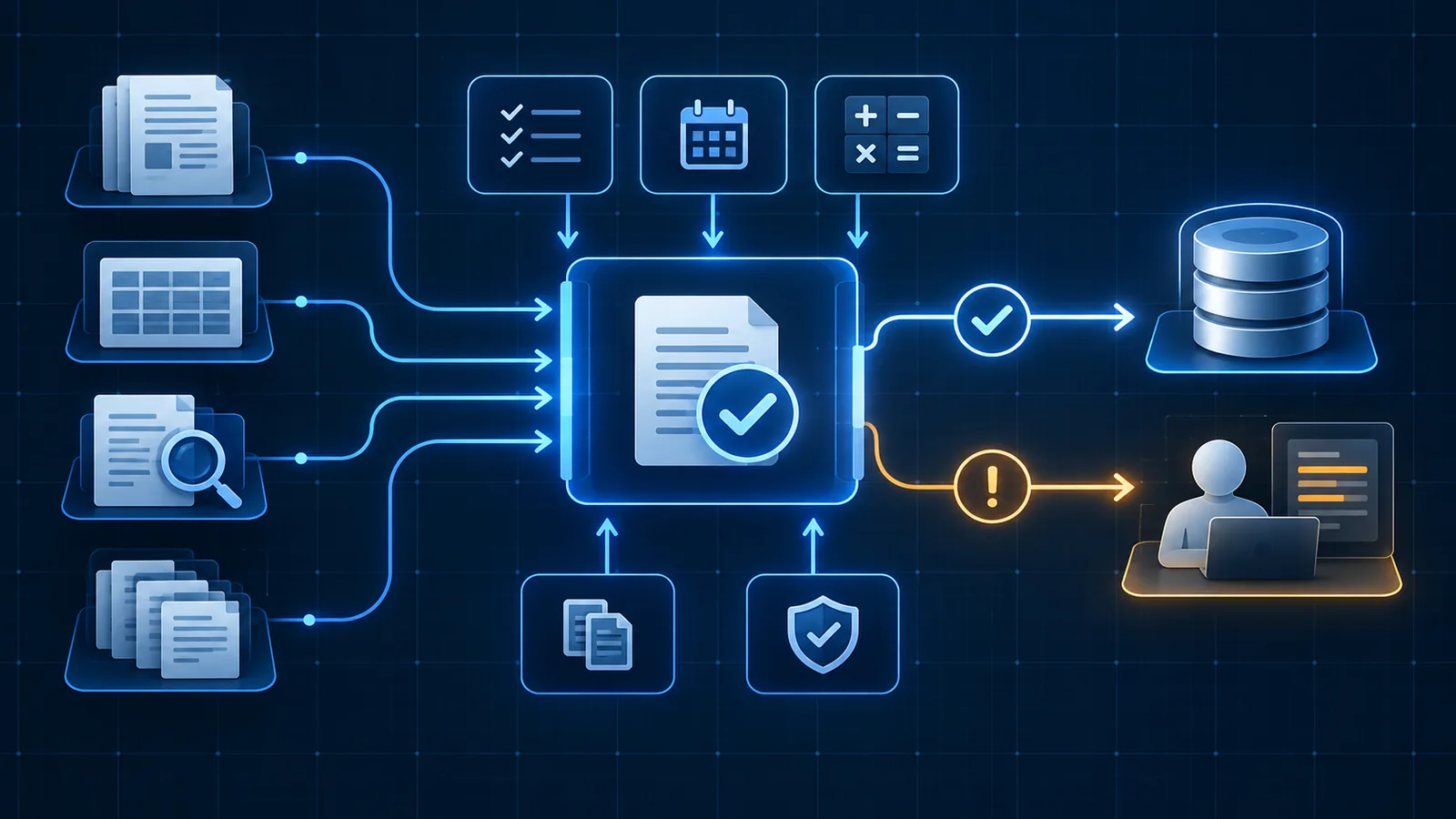
The lab starts with a fictional invoice showing a CAD 1,000.00 subtotal, CAD 50.00 tax amount and CAD 1,100.00 total. The supplied extraction confidence is 99%, but the arithmetic differs by CAD 50.00. With the example CAD 0.02 tolerance, the arithmetic rule fails and the proposed record goes to review. The confidence check cannot cancel that failure.
Switch off total reconciliation and the same invoice can reach the next approval gate under the remaining rules. Run the fixed sample set to see the missed error. This is a deliberate teaching exercise, not a recommendation to disable a control. The CAD amounts, identifiers, confidence values and rounding contract are synthetic; tax-rate validation, payment authority and real supplier verification are outside the lab.
Enabled checks found no blocker. The record still needs any required business approval before posting or payment.
A rule found conflicting values or low confidence. An authorized person needs the source and the exact failed check.
A blocking failure or unavailable evidence prevents a decision. Preserve the item and obtain the missing information first.
Extraction asks whether the system captured what appears on the document. Validation asks whether that captured value is complete, plausible, consistent and appropriate for the intended action. Those are different questions. An invoice can clearly show an incorrect purchase-order number; perfect extraction would faithfully reproduce the wrong value.
Place validation between extraction and the acceptance gate in the wider document processing workflow. Keep proposed values in a staging state until the critical rules and required approvals have completed.
The value and its source location were captured from the document.
The raw value was converted into the required date, amount, identifier or address format.
The proposal passed the applicable rules and source comparisons.
The workflow or authorized reviewer approved the value for the defined downstream use.
Not every value deserves the same validation effort. Identify the fields that determine identity, amount, terms, routing or authority. A mistaken customer identifier or payment total can affect a material action; an optional note may be safe to leave blank or present only for reference.
For each field, document whether it is required, the permitted format and range, which source is authoritative, how uncertainty is detected and what happens when the rule cannot run. This becomes the validation contract for implementation and testing.
A wrong value can create a material customer, financial, contractual or access consequence.
The value controls routing, ownership, timing or the next processing step.
The value helps a reviewer understand the item but does not determine the action.
The workflow has no approved purpose for collecting or storing the field.
Run inexpensive deterministic checks before asking a model or person to interpret an ambiguous case. A missing required field, invalid date, impossible total or known duplicate can be identified without a subjective decision. Early checks also prevent weak inputs from contaminating later steps.
Treat unavailable evidence differently from a failed rule. If the customer database is offline, the workflow does not know that the proposed customer is invalid; it knows the comparison could not be completed. That distinction determines whether to retry, review or reject.
Confirm required fields and required source pages exist.
Test dates, identifiers, allowed values, lengths and numeric boundaries.
Recalculate totals and compare related dates, names, quantities or addresses.
Match against an approved customer, vendor, order, contract or case record.
Field confidence can help identify low-quality scans and uncertain extraction, but the same threshold should not be applied blindly to every field or document type. A high-confidence total still needs arithmetic validation; a moderately confident note may be acceptable when it cannot trigger an action.
Choose thresholds using representative documents and the consequence of error. When evidence remains uncertain or only a person may accept the action, use a purposeful human-in-the-loop automation decision.
Only when required rules pass and the consequence supports automatic completion.
Route an uncertain or consequential value with its source and failed checks.
Stop inputs that are unreadable, prohibited or outside the approved workflow boundary.
Review a controlled subset of lower-risk accepted items to monitor quality over time.
A reviewer should not have to rediscover why an item stopped. Display the original document region, proposed normalized value, failed rule, relevant source-system value and permitted actions together. Preserve the proposal and final correction so the outcome can be explained and recurring patterns can be measured.
Avoid silently overwriting extracted data. An approved deterministic normalization can create a separate normalized value; a material correction should retain who or what made the change, the reason and the source that supports it.
Name the missing field, mismatch, threshold or unavailable dependency.
Show the page region and relevant business record beside the proposal.
Offer correct, accept, reject, request information or escalate as appropriate.
Record the reviewer, time, original proposal, final value and disposition.
A useful test set includes ordinary documents, known bad inputs and values near every material boundary. Test missing fields, conflicting totals, unknown entities, duplicates, damaged scans and temporarily unavailable source systems. Record the expected rule outcome before running the test.
After launch, monitor critical-field correction rate, failed-rule frequency, reviewer disagreement, auto-accept rate and errors discovered downstream. Review thresholds when document layouts, suppliers, policies, integrations or consequences change—not simply because the model reports a different confidence distribution.
Connect every critical field and consequential action to an explicit acceptance rule.
Test values just inside and outside tolerances, limits and date ranges.
Verify that accepted data created the correct record and status in the destination.
Retest representative evidence and preserve a rollback path before production changes.
Start with one document type and write the field-level acceptance matrix before tuning extraction. The matrix makes implementation testable and prevents a visually impressive extraction demo from becoming an unreliable operating process.
Use the lab’s exports as a starting structure, not production configuration. Replace synthetic cases with permissioned, representative examples labelled by your team; add field-level rules, known supplier variations, real duplicate keys, approval ownership and unavailable-system tests. Keep the evidence labels independent of the rule settings so a looser policy cannot make its own mistakes disappear.
OpSmith’s document processing automation work connects extraction to business rules, source evidence, review and the verified destination update.
Document data validation checks whether extracted information is complete, correctly formatted, internally consistent, supported by approved source records and safe to use for the intended business action.
Extraction confidence estimates how certain a model is about its output. Validation tests that output against explicit requirements and evidence. A confident value can still violate a business rule or refer to the wrong record.
Prioritize fields that determine identity, money, contractual terms, access, customer communication or irreversible system actions. Low-consequence descriptive fields may use lighter controls.
Only when the correction rule is approved, deterministic and reversible. Ambiguous changes should be proposed with their evidence and routed to an authorized reviewer.
Contain the item, preserve the original document and proposed values, identify the failed rule, assign an owner and resume from a safe point after correction or approval.
No. The free lab runs explicit rules against editable fictional invoice fields and ten labelled synthetic cases. It makes no AI or source-system calls, uploads nothing and keeps edits only in this page’s memory. Its results explain the example policy; they do not estimate accuracy on your documents or authorize posting or payment.
These official references provide relevant technical, privacy, risk-management or accountability guidance. OpSmith applies the useful principles to the operation of one business workflow.
Use the next guide that matches the decision your team is making now.
Place validation inside the complete intake-to-system operating path.
Apply required-field, arithmetic, duplicate and matching rules to invoices.
Contain failed validations and resume resolved work safely.
Bring one recurring process to a free 20-minute consultation. OpSmith will help you decide whether it is ready for automation, needs process cleanup first or should remain human.