
- Track requirements separately from uploaded files: received, accepted and ready to start are different states.
- Send a specific request for missing or unusable information; give internal review its own owner.
- Use the worked register and six acceptance cases to test late uploads, waivers and uncertain message delivery before launch.
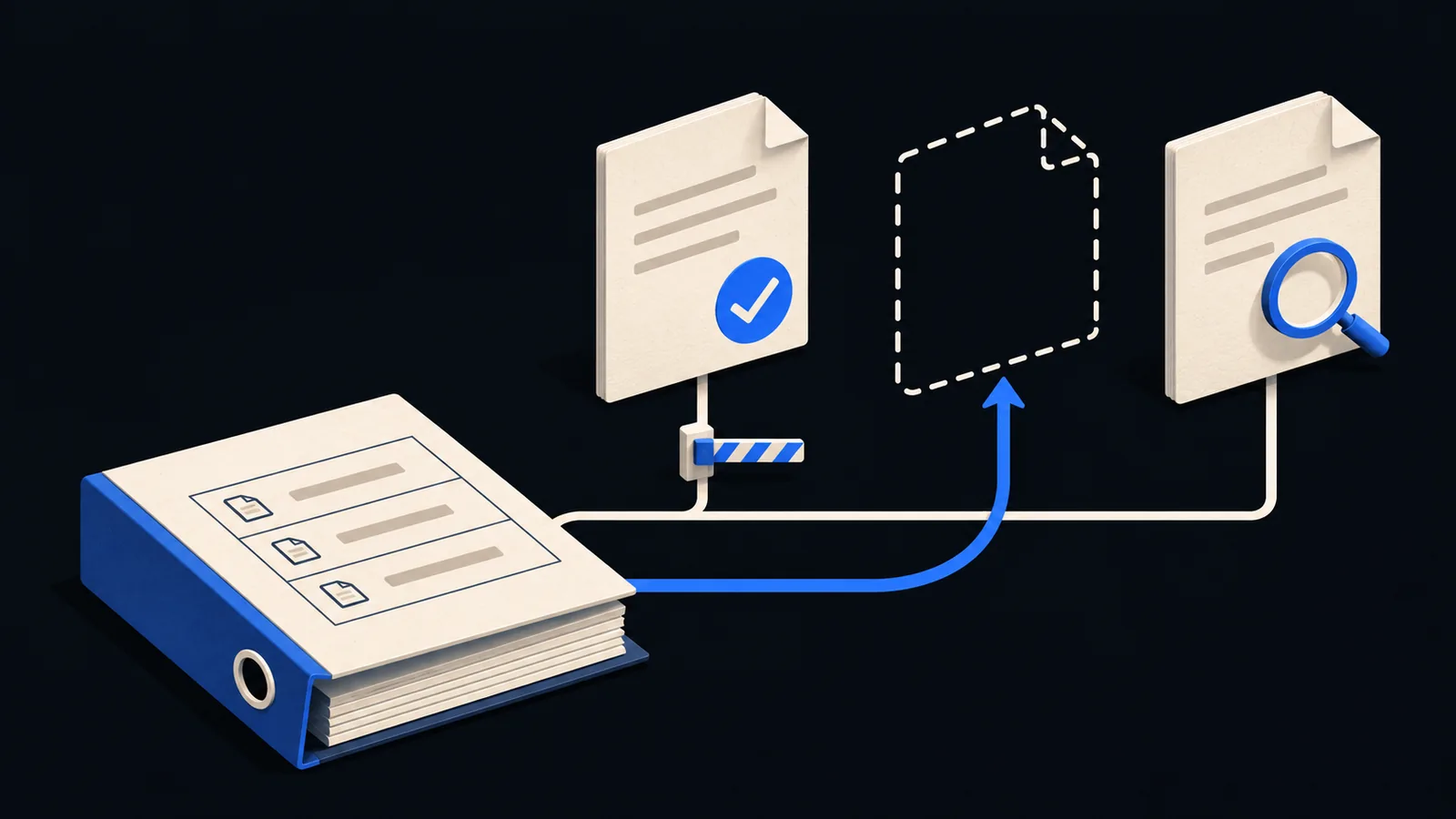
Define what this client must provide before writing a reminder
A folder with four files does not tell you whether onboarding is complete. One file might cover two requirements, another may be unreadable, and a third may no longer apply to this engagement. Begin with the requirements for the agreed service and client category. Give each requirement a stable identifier, a responsible reviewer and the decision it supports.
Separate the requirement from the evidence supplied against it. A project-scope brief is a requirement; FILE-602 is one submitted file. A replacement upload should update the evidence history without creating another request for the same brief. If a requirement is waived, retain the authorized decision and reason rather than deleting the row.
This is a specific collection stage within a document processing workflow. It ends when the required inputs have an accountable disposition, not when AI has generated a convincing welcome email.
Requirement
What is needed, why it applies, its version and the next decision it enables.
Evidence
Which file or response was received, when it arrived and where the reviewer can inspect it.
Disposition
Missing, received awaiting review, accepted, unreadable, ambiguous, waived or not required.
Action
Who owes the next action, when it is due and whether it belongs to the client or an internal reviewer.
Worked example: five requirements and only two possible customer requests
ON-601 is an example service engagement. At the November 2 snapshot, the signed engagement is accepted, the scope brief has arrived but needs review, the client approval contact is missing, the systems inventory cannot be read and the earlier proposal has an authorized waiver. There are five rows, but five reminder messages would be wrong.
The client may eventually need to supply the approval contact and a usable systems inventory. The project lead owes the scope review. The accepted engagement and waived proposal require no customer reminder. Due dates in this example are local calendar dates, not an assertion about any profession's required onboarding documents.
| Requirement | Current evidence | Next action |
|---|---|---|
| Signed engagement | Accepted; FILE-601 | No reminder |
| Project scope brief | Received; review pending | Project lead reviews by November 3 |
| Client approval contact | Missing | Request when due November 5 if still missing |
| Systems inventory | FILE-604 unreadable | Ask for a usable replacement when due November 4 |
| Earlier proposal | Waived; DECISION-605 | No reminder |
Download the worked example
- Completed client document register
- Reminder and stop-condition policy
- Six event-order acceptance cases
Adapt these working structures to your process. They are examples, with no claimed client results or production accuracy measurements.
Build a reminder loop that can stop
A schedule should nominate a requirement for checking, not permanently authorize a future message. Immediately before sending, reread the current client relationship, requirement version, evidence state, due date, recipient and applicable communication permission. If the file arrived while the message was queued, cancel the missing-file request and create the internal review task.
Group applicable missing items into a useful client message rather than sending one email per row. Name the exact item and the next step: 'Please confirm the person who can approve the project scope' is more useful than 'Your onboarding is incomplete.' For an unreadable file, acknowledge that it arrived and explain which replacement is needed. Avoid disclosing sensitive document contents in the reminder itself.
The example policy escalates after two unanswered reminder cycles. That is a design choice for this exercise, not a universal cadence. The coordinator can resolve an unavailable contact, an unrealistic deadline or a requirement the client cannot satisfy. Repeating the same message indefinitely does not solve those exceptions.
- Find the requirementUse the client, requirement and version identifiers; check that the engagement is still active.
- Read current evidenceSeparate a missing item from an uploaded file awaiting review or replacement.
- Choose the ownerClient action becomes a specific request; internal uncertainty becomes a reviewer task.
- Check and send onceRecheck state at send time; record the message event and reconcile unknown delivery before retry.
- Stop or escalateAn accepted item, waiver, closed engagement or exhausted reminder cycle changes the next action.
Handle late uploads and repeated events without restarting the chase
Suppose a reminder is due at 09:00 and the client uploads the brief at 08:59. A queue that only remembers yesterday's missing status will send the wrong message. The send gate must query the current requirement and identify the upload before acting. After receipt, the next clock measures internal review age; it should not keep accusing the client of holding up the work.
Give each reminder cycle an event key built from client, requirement, requirement version and cycle. Record whether it was prepared, sent, cancelled or left with an uncertain outcome. A provider timeout can occur after a message has been delivered. Check the provider's message record before retrying; do not interpret a missing acknowledgement as permission to send again.
Use an owned recovery route for unresolved sends or conflicting uploads. The workflow exception handling guide explains how to contain the item, preserve evidence and choose a safe resume point.
Keep collection proportionate and access tied to the task
Ask for information because the service and next decision require it. Define the purpose, authorized recipients, storage location and retention approach before connecting a new upload or AI service. A reminder should point to the approved collection route; it should not encourage clients to put confidential documents into whichever inbox happens to be easiest to automate.
The Office of the Privacy Commissioner of Canada explains the role of clear purposes and meaningful consent in its guidance. The applicable requirements depend on your organization, information and jurisdiction. Have the responsible privacy or professional lead review the actual collection design; this example is an operating structure, not a compliance checklist.
Limit the model's input to what its task needs. Drafting a reminder normally requires a requirement name and state, not the entire client file. Review permissions for shared folders and notification recipients as carefully as the wording of the email.
Use AI to interpret evidence, and rules to control reminders
Technology references checked November 2, 2026: Power Automate supports date-based SharePoint reminder flows. That provides a scheduling building block, not the whole current-state check, replacement loop or review policy described here. Confirm connector permissions and event behaviour in your own environment before treating a template as the completed design.
Current OpenAI candidates such as GPT-6.1 Sol and GPT-6 Astra can be evaluated for document classification or evidence-aware drafting. Give them labelled examples of received, unreadable and ambiguous inputs. Compare incorrect classifications, omitted caveats, reviewer effort, latency and cost; no model has been benchmarked by this article.
Return a requirement identifier, proposed document type, source reference and uncertainty from the extraction step. Validate identifiers and state transitions outside the model. AI can propose that a file satisfies a requirement; the review policy determines when it is accepted and whether downstream onboarding may advance.
Test customer effort and internal delay separately
Run all six downloadable cases before turning on messages. In particular, test an upload just before sending, a waived requirement, an unreadable file and a lost delivery acknowledgement. Check the actual action produced, not just whether the automation run reports success.
Measure time spent chasing each onboarding file, number of clarification rounds, client waiting time, internal review age and reminders sent after an item was already received. Keep the original start timestamp through returns and replacements. A faster reminder engine can otherwise conceal a slower internal review queue.
When document collection is a recurring source of administrative work, OpSmith's professional services automation work can connect collection, review and the next accountable handoff. Start with one service type and its evidence register before expanding across the firm.
Carry requirement dispositions into the engagement start decision
The client onboarding workflow for professional services extends ON-601 beyond this five-requirement register. It joins the same scope-review, missing-contact and unreadable-inventory states with access verification and delivery ownership.
Use the client onboarding access checklist when someone must review existing files or use a client system. An upload route and verified collaboration access are different requirements; the coordinator's working account cannot clear the reviewer's access gate.
The client kickoff readiness checklist then assesses the current evidence for a defined work scope. In this packet, receipt of FILE-602 stops a missing-file request but does not clear its scope-review gate. Retain the internal owner through that transition.
Download the engagement-readiness packet
- ON-601 extended engagement and access packet
- Requirement dispositions carried into readiness review
- Complete worked onboarding pack (ZIP)
- Instructions, local checks and example limits
Worked records and review structures, with no client-performance or model-accuracy claim. The pack contains no passwords, tokens or actual client files.
Match the upload, extraction and reminder technology to its actual job
Technology detail checked November 2, 2026: OneDrive and SharePoint file requests provide an upload-only route without exposing the folder's existing contents to the uploader. Microsoft documents that anyone with the request link can upload. Approve that collection route for the actual information and do not treat its arrival notification as proof of named-user collaboration access or evidence acceptance.
Microsoft's documented SharePoint reminder template sends a personal alert based on a DateTime column. That is a scheduling building block. A client-facing reminder workflow still needs approved recipients, current requirement-state checks, permission handling and send reconciliation. Do not describe the stock template as a finished missing-document follow-up system.
Google Document AI offers OCR, document classification, splitting and extraction processors. These can help prepare a document register, but selecting a processor does not establish that a file is relevant, usable or accepted. Test the actual file set, source references and unreadable cases before connecting its result to a reminder stop or downstream readiness gate.
For a language-model step, evaluate GPT-6.1 Sol or a current alternative against the bounded classification task. Return engagement ID, requirement ID, evidence ID, proposed disposition, source location and unknown reason. OpenAI's Structured Outputs can constrain the record shape while still containing factual mistakes; incompatible files need an explicit unknown or review outcome.
| Field | Example for FILE-602 | Control |
|---|---|---|
| Engagement / requirement | ON-601 / scope brief | Validate against the current requirement register |
| Evidence identity | FILE-602 | Keep the original file and replacement history |
| Proposed disposition | Received; review needed | Do not promote to accepted without required review |
| Source location | Reviewed file/page reference | Reviewer can inspect the supporting material |
| Unknown reason | Missing or conflicting source context | Route a targeted clarification or internal decision |
Use the blank evaluation sheet to compare ordinary, unreadable and conflicting files. Record corrections and unsupported conclusions separately from speed and cost. No model or document processor was benchmarked for this guide.
Download the engagement-readiness packet
- Evidence-preserving model evaluation sheet
- Complete worked onboarding pack (ZIP)
- Instructions, local checks and example limits
Worked records and review structures, with no client-performance or model-accuracy claim. The pack contains no passwords, tokens or actual client files.
Automate the file handoff only after its states are dependable
OpSmith's document processing automation work can connect intake, proposed extraction, validation and review. Begin with the requirement-to-evidence relationship and the actions that each disposition permits before expanding the document set.
Frequently asked questions
Should an upload automatically stop every reminder?
It should stop the missing-file reminder for the matched requirement and create the appropriate review task. An unreadable or unrelated upload may need a specific replacement or clarification request. It should not automatically mark the entire client file complete.
Can one document satisfy more than one requirement?
Yes, if the responsible review policy permits it and the evidence is linked to each applicable requirement. Keep the document identity separate from requirement identities so one replacement or review decision can be traced correctly.
Do we need a new client portal?
Not necessarily. An approved upload route, a reliable requirement register and clear review ownership may be enough for a bounded process. A portal can improve access and visibility, but does not replace requirement logic or permission checks.
What if a client cannot provide the requested item?
Route the issue to the coordinator or authorized professional. Record an approved alternative, waiver or revised next step. Do not keep sending the same reminder or let the model invent evidence to complete the checklist.
Sources and further guidance
These official references provide relevant technical, privacy, risk-management or accountability guidance. OpSmith applies the useful principles to the operation of one business workflow.
- Upload-only file requests and their limitsMicrosoft Support
- Document AI processor capabilitiesGoogle Cloud
- Structured Outputs and remaining factual errorsOpenAI
- Date-based SharePoint reminder flowsMicrosoft Learn
- Guidelines for obtaining meaningful consentOffice of the Privacy Commissioner of Canada
- Current model catalogOpenAI