
- A new email is not necessarily a new inquiry, person or opportunity; a shared sender address may represent several people.
- The worked message concerns existing proposal Q-901. Its account and owner are known, but two contacts share the address, so no new contact or opportunity is created.
- Use the decision register and seven event cases to test replays, forwards, lookup failures and uncertain creates before connecting live record writes.
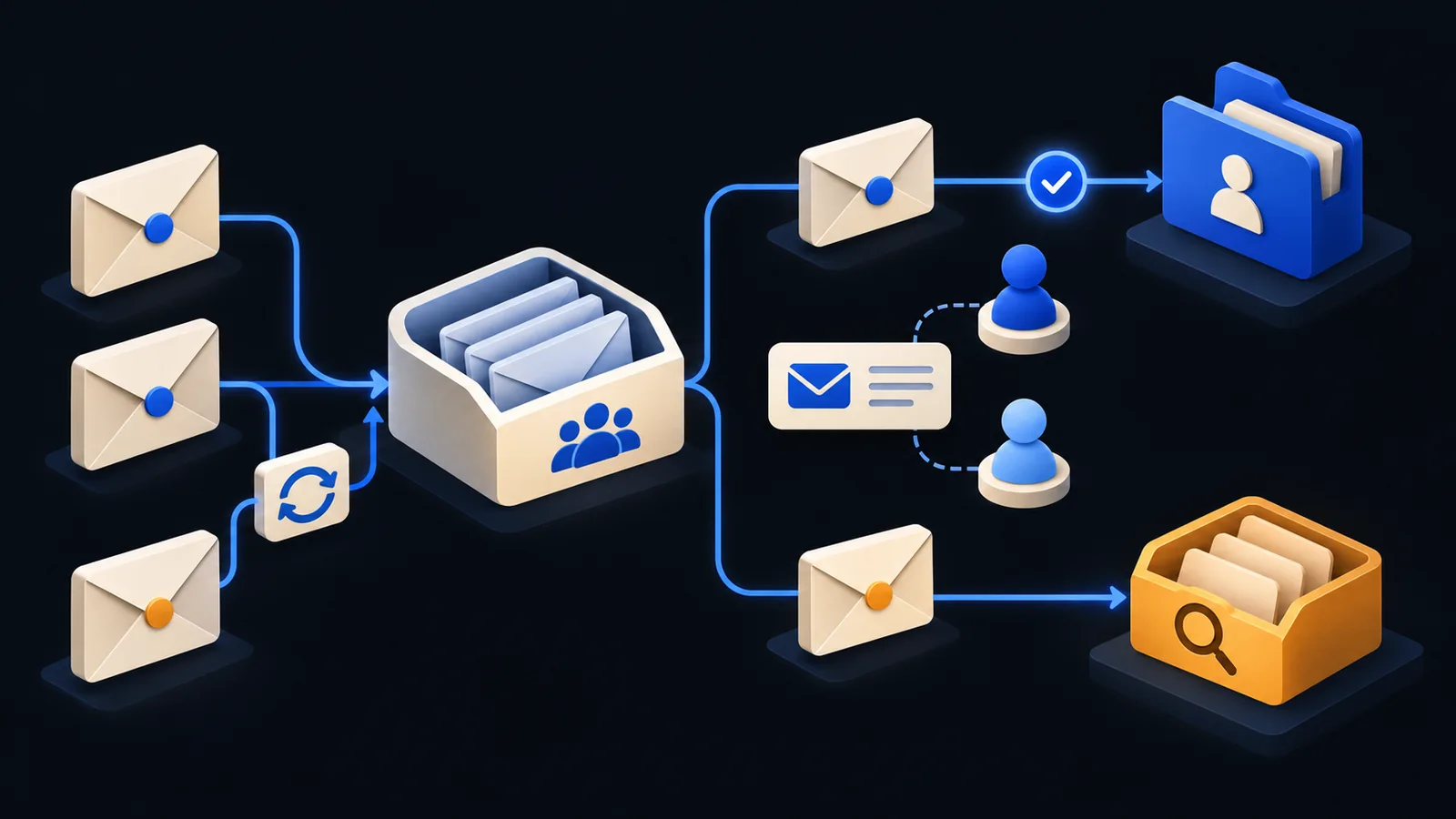
Define five identities before connecting a create-contact action
An inbox integration becomes fragile when every incoming message creates a new CRM record. Define the source event, conversation, person, account and commercial request separately. One message can be delivered twice. One conversation can involve multiple people. One person can have several addresses. One account can have several simultaneous opportunities.
Give each identity a purpose and source. The mailbox and provider message identifier can help recognize a technical replay. A thread reference helps preserve context but does not prove that every message is the same business request. A verified contact ID establishes a different relationship from a matching email string or company domain.
This workflow applies the source-aware identity rules from the CRM data quality guide at the moment new information enters the system. It is an intake method, not a general shared-inbox software comparison or permission to merge similar records.
Worked example: one shared address, two contacts and an existing proposal
SALES-SHARED-01 receives msg-1101@example.test from ops@cedar.example.test: 'Following up on proposal Q-901. Can we review a new delivery date?' The example CRM lookup is available and independently establishes that Q-901 belongs to AC-110, with an existing account owner. Two verified contacts use the same sender address.
The useful route is to the existing owner with person-identity review. The address does not tell the system which person wrote the message. The existing proposal context also means this particular message should not create another opportunity or start a generic new-lead sequence. Preserve the source and the date question for the owner.
Internal routing context does not authorize disclosing account information to an unverified sender or overwriting either contact's identity. The workflow can preserve useful evidence and an accountable next action while the person match remains unresolved.
| Identity | Evidence | Worked decision |
|---|---|---|
| Source event | SALES-SHARED-01 plus msg-1101@example.test | Stable replay key |
| Conversation | THREAD-1101; proposal reference in message | Preserve context; assess the actual request |
| Account | Verified Q-901 to AC-110 relationship | Route internally to existing owner |
| Person | Two contacts share the address | Unresolved; no automatic merge or selection |
| Opportunity | Existing proposal follow-up | No new opportunity in this case |
| Next action | Customer asks about a date | Owner reviews context and feasibility before response |
Download the worked example
- Raw message, CRM context and seven expected routes
- Completed identity and action register
- Seven replay, lookup and creation tests
- Complete three-example reference pack with local check script (ZIP)
- Reference-pack instructions and limits
Adapt these working structures to your process. They are examples, with no claimed client results or production accuracy measurements.
Choose append, clarify or prepare a new record from the evidence
When a person and existing relationship are verified, append the appropriate activity to that context rather than replacing the record or opening an unrelated lead. Retain the original message reference and the owner who owes the next action. A record update should preserve the meaning and authority of existing fields.
When the person match is ambiguous, keep the candidate relationships and an owned review task. Do not merge everyone using a team address, strip meaningful email characters or let a model choose the most plausible contact name. The email can still be captured without pretending the identity question has been solved.
For a genuinely new inquiry, distinguish a successful no-match lookup from a failed lookup. If the approved lookup completes and finds no applicable record, prepare the permitted pending record under the creation policy and required-field rules. If the CRM cannot be reached, hold the matching step. Unavailable evidence is not evidence that no customer exists.
For confirmed and possible person matches, the duplicate records in CRM guide explains why surviving-record decisions and relationship preservation need an explicit process.
Deduplicate technical events without discarding real replies
The worked event key combines the mailbox identity and stable message identifier. Receiving that event again should find the existing intake record or reconcile the earlier write. Do not create another activity, contact and follow-up task each time the provider redelivers it. Verify the identifier semantics supported by the actual connector.
A forwarded email usually introduces another technical message, but may still refer to the same customer inquiry. Preserve its relationship to the original source and review the business context. Conversely, a new question in an existing thread may require a distinct action even though the subject line is unchanged. Neither a thread key nor a content hash is a universal business-inquiry identifier.
Store the event's processing state separately from the business task. If record creation times out, query by the stable source relationship and reconcile the actual destination result before creating again. An automation run marked failed can already have produced the contact or activity that the next retry would duplicate.
- Capture the source eventRetain mailbox, message, thread and original request before classification.
- Resolve existing contextQuery approved contact, account and opportunity relationships; preserve unavailable or ambiguous results.
- Choose the bounded actionAppend to verified context, route clarification or prepare a pending new record under policy.
- Transfer the next taskKeep current owner and response responsibility visible rather than treating assignment as acceptance.
- Verify the resultReconcile retries and downstream tasks so a replay cannot multiply records or outreach.
Keep record creation separate from follow-up permission
Writing a pending inquiry record does not mean an automated sales sequence is appropriate. Existing proposal replies, service questions, contact restrictions and unrelated messages need their own routes. Recheck current conversation state and ownership before a queued message is sent.
The lead management workflow guide connects intake to a meaningful response and accepted handoff. Use the CRM lead routing workflow to make existing ownership, fallback coverage and overdue actions observable.
Apply an approved purpose and access boundary to inbox processing. Capture only the information the workflow needs and avoid moving unrelated private attachments into broad CRM access. A message's source content is information to interpret; it cannot grant the automation new permissions to export records, merge people or bypass review.
Evaluate business routing and identity errors alongside extraction
Technology references checked November 2, 2026: Microsoft Dataverse documents configured duplicate detection and explicit merge decisions. Platform features should be inspected in the actual integration path; an application's manual-entry duplicate warning is not proof that every connector or import enforces the same behaviour.
Current models such as GPT-6.1 Sol and GPT-6 Astra can be evaluated for inquiry classification, candidate fields and a concise evidence-linked summary. They should not be the authority for an unverified person merge. Compare incorrect creates, misrouted existing customers, lost context and reviewer effort with representative permissioned messages.
Run all seven downloadable cases, including an unavailable lookup and a new message identifier on a forward. The reference packet contains expected routes, not a live inbox connector or measured model benchmark. Keep the test labels independent of whatever the automation happens to produce.
Measure duplicate work and unowned requests, not just captured messages
Track confirmed unnecessary creates, activity replays, identity-review age, owner corrections and messages waiting for a meaningful response. Review false duplicate flags too: suppressing a legitimate new request is another form of lost work. A high capture count says little if the system multiplies records or hides unresolved inquiries.
Start with one shared mailbox, defined request types and the existing record-creation policy. Observe the workflow in a bounded mode before allowing consequential updates or customer messages. Keep a responsible owner for every hold so uncertainty does not become an invisible queue.
OpSmith's CRM data-entry automation work can connect source capture, controlled matching and verified updates around the current CRM. Bring ordinary replies, shared-address cases and failed-write examples to the design review.
Frequently asked questions
Can two people legitimately share the same email address?
Yes. A team or role mailbox can be associated with several people. Do not automatically merge those people or choose one solely from the address. Preserve verified account context and resolve person identity through the appropriate process.
Should every email in an existing thread use the same lead?
Not automatically. A thread can contain a new request, several participants or changed commercial context. Retain the thread relationship while assessing the message's actual business action and verified record links.
What if the CRM lookup fails?
Hold the matching step with an accountable recovery task. Do not interpret a timeout or unavailable service as a successful search with no matches. Reconcile any uncertain destination create before another attempt.
Is the worked example an inbox integration I can activate?
No. It is a source packet and decision register with seven expected routes. It makes no mailbox or CRM calls. A real implementation must use the approved connector, permissions, record rules and representative messages from the intended workflow.
Sources and further guidance
These official references provide relevant technical, privacy, risk-management or accountability guidance. OpSmith applies the useful principles to the operation of one business workflow.
- Duplicate detection and explicit merge behaviourMicrosoft Learn
- Shared email addresses and message deduplicationMicrosoft Learn; product-specific communication example
- Current model catalogOpenAI