
- ON-601's coordinator can use the project folder, but the reviewer's invitation is still unverified. One person's success cannot clear another person's access gate.
- A proposed tenant-administrator grant is rejected as unnecessary in the worked register. Convenience does not establish the authority or task need for broader access.
- Download the completed register and acceptance cases. The files contain identity references and states, never passwords or live credentials, and perform no permission changes.
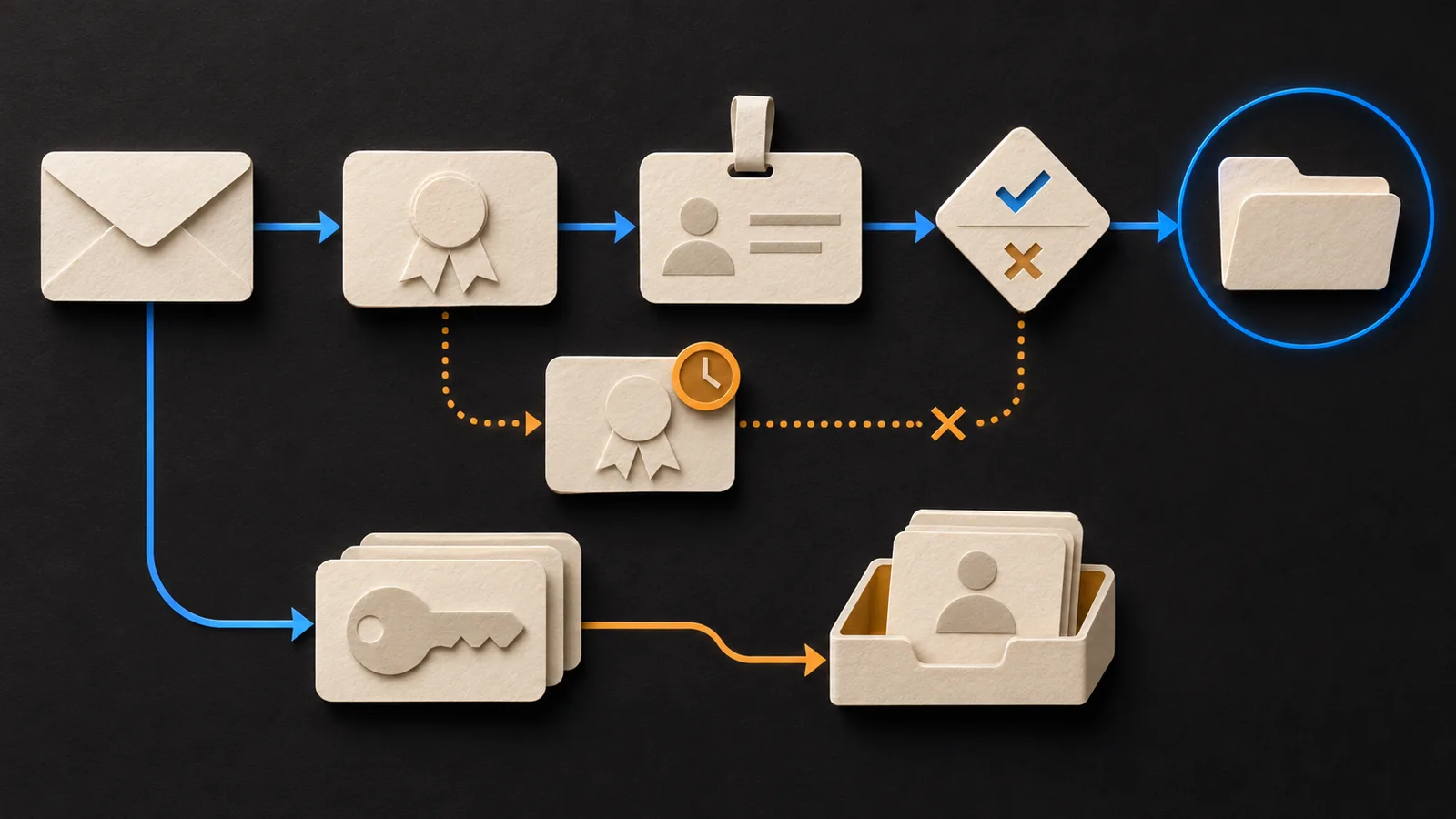
Start with the permitted task, not a request for every login
Write what the team needs to do and where: read the current ON-601 scope brief, upload an approved working note, or inspect a specified reporting source. Then identify the person or approved service identity and the role needed for that task. A generic request for admin access skips both the need and the authorization decision.
Separate a human account from an integration identity. An automation may need a different authentication method and permission boundary from the professional reviewing a file. The system owner should select the approved mechanism, consent and lifecycle. Do not solve a stalled connector by quietly borrowing a person's credentials.
This is the access stage of the client onboarding workflow for professional services. Documents, scope and the readiness decision remain separate gates even when access is verified.
Have the responsible IT, security and privacy owners approve the actual access design and information handling. This checklist organizes evidence and next actions; it does not certify a tenant configuration, determine legal obligations or authorize a permission grant.
Worked example: three requests, three different dispositions
AC-01 is the named project reviewer's request for read access to the ON-601 folder. INV-601 was sent, but no permitted task has been verified. AC-02 is the coordinator's approved ability to write onboarding files in that folder, with ACCESS-CHECK-602 recording a permitted test note saved and read successfully.
AC-03 proposed tenant-administrator access for an onboarding helper. The example decision rejects it because the declared task does not require that breadth. It is retained as a rejected request, not a grant that must be accepted simply to complete a checklist. The responsible system owner decides any later appropriately scoped alternative.
AC-01 and AC-02 have example expiry dates of December 2, 2026. Those dates are recorded design choices, not universal retention or access requirements. Confirm that the actual platform enforces the intended lifecycle; a date in a spreadsheet does not revoke anything by itself.
| Request | Current evidence | Next action |
|---|---|---|
| AC-01: reviewer / project folder / read | Invitation INV-601; task unverified | Verify the intended task as the named reviewer |
| AC-02: coordinator / project folder / write | Permitted test task verified; ACCESS-CHECK-602 | Retain evidence and review lifecycle |
| AC-03: helper / entire tenant / administrator | Rejected; ACCESS-DECISION-603 | Do not grant broad access; reassess task need if necessary |
Download the engagement-readiness packet
- Completed named-resource access register
- Access evidence within the full engagement packet
- Eight onboarding acceptance and event-order tests
- Complete worked onboarding pack (ZIP)
- Instructions, local checks and example limits
Worked records and review structures, with no client-performance or model-accuracy claim. The pack contains no passwords, tokens or actual client files.
Keep the fields that make a permission inspectable
Record the engagement and identity references, resource boundary, requested task, proposed role, approving owner, present state, verification evidence, expiry or review trigger and removal owner. Add the relationship to the current engagement version. A request that simply says access granted cannot establish which person can perform which task.
Use references to approved identity records rather than putting secrets into the tracker. The onboarding register should help the coordinator ask the right system owner for the right action. It should not become another credential store, an export of recovery codes or an invitation list visible to unrelated clients.
Preserve changes. If a reviewer is replaced, if delivery scope expands or if the client changes a resource location, reassess the required access. Do not transfer a previous user's verified status to a new identity merely because the role label is the same.
| Field | Example | Question it answers |
|---|---|---|
| Named identity | USER-REVIEWER-A | Who will actually perform the task? |
| Resource and boundary | ON-601 project folder | Where should the permission apply? |
| Task and role | Read current approved scope brief | What action is needed and permitted? |
| Authorization | System owner decision reference | Who approved the actual grant? |
| Verification | Named task, time and result reference | Did the permitted task work at the intended resource? |
| Lifecycle | Expiry or review trigger and removal owner | What ends or changes this permission? |
Use Entra invitation and governance states without overstating them
Technology references checked November 2, 2026. Microsoft Entra B2B documentation distinguishes pending invitation acceptance from accepted consent. That directory state is useful evidence, but the onboarding team still needs an appropriately scoped test of the actual resource and task. Accepted invitation is not the same field as task verified.
Microsoft Entra ID Governance can govern external users through access-package policies, including lifecycle settings where configured. Check the selected policy, resource assignments, licensing and end-of-assignment behaviour with the tenant owner. Do not assume every external account in the organization is governed by the same access package.
For AC-01, the useful next step is verification as USER-REVIEWER-A at the ON-601 folder. If the task fails, record the actual reason for the system owner: wrong identity, unintended resource, blocked policy, incomplete assignment or unavailable evidence. Sending another invitation without diagnosis can create more confusion rather than working access.
An upload link and collaboration access solve different problems
Microsoft's OneDrive and SharePoint file-request feature lets recipients upload into a chosen folder without viewing its other contents. Its documentation says anyone with the request link can upload. Treat that as a collection capability whose suitability the organization must approve; the existence of an uploaded file does not prove the uploader had authenticated collaboration access.
If a person must review an existing file, comment on the current scope or maintain a working document, an upload-only route does not establish that permission. Choose the approved named collaboration route for the task, and preserve the distinction in the register instead of marking both activities as portal access.
The client onboarding document collection guide tracks what the client still owes and what the team must review. Keep that requirement logic independent of the mechanism used to upload or share the evidence.
Verify only the permitted task and plan how access ends
Use a harmless approved test appropriate to the role, resource and environment. A reviewer may need to open a permitted project document; a coordinator may need to save a test note in a designated folder. Do not test readiness by opening unrelated client records or performing a consequential production action.
Capture the named identity, target resource, tested action, result and observation time. If the evidence is unavailable, preserve unknown rather than inferring success from an invitation or from another person's screen. Recheck when role, engagement scope, resource or relevant policy changes.
Define the ending events: cancelled engagement, replaced professional, completed task, expiry or an authorized revocation. Assign the actual removal or review action to the platform owner and verify its result. Removing a task from an onboarding board does not independently remove directory or application access.
- DefineName the permitted task, identity and resource.
- AuthorizeUse the actual system owner's approved role and boundary.
- ProvisionRecord the request, invitation or assignment result.
- VerifyTest the permitted task as the intended identity.
- Review or removeAct on expiry, scope change or cancellation and verify the platform result.
Let AI prepare the request, not broaden the permission
GPT-6.1 Sol can be evaluated for drafting a structured access request from approved task descriptions; Claude Sonnet 5.5 is another current candidate for evidence-linked coordination drafts. Keep a maintained set of permitted roles, resources and owner references outside the generated text. A model's plausible role suggestion is not an approval.
Test the failure that matters: the candidate sees an invitation email and writes access verified, or converts a limited folder task into administrator access. Include a source document that asks the model to ignore the rules. The correct result is a reviewable request or unresolved state, with no automatic permission expansion.
Use the automation regression testing checklist before changing model, prompt or access mapping. This guide supplies candidate tasks and test expectations, not measured provider performance or an identity-management implementation.
Once task evidence is verified, pass it to the client kickoff readiness checklist. If verification remains unavailable, preserve the owner and use workflow exception handling for the unresolved handoff.
OpSmith's professional services automation work can coordinate these requests, reminders and evidence records around existing access controls. The client's authorized administrators retain control of actual grants and removals.
Frequently asked questions
Should our onboarding form ask for passwords?
No. Use the organization's approved identity, delegated access or secure credential process selected by its responsible system owner. The onboarding register should contain references, task scope and verification states rather than passwords, recovery codes or tokens.
Does accepting an invitation prove access is ready?
No. Invitation acceptance and task verification are different evidence. Check the intended resource and permitted task as the named identity, and record the result before clearing that access dependency.
Can the coordinator's successful login clear the reviewer's gate?
No. A different identity can have different roles, policies and resource assignments. ON-601 retains the reviewer's unresolved gate even though the coordinator has a successful task-verification record.
What happens when the client changes scope or replaces a team member?
Reassess the required resource and role, preserve the prior history and assign the authorized update or removal. A previous user's verification does not automatically transfer to a replacement identity or expanded task.
Sources and further guidance
These official references provide relevant technical, privacy, risk-management or accountability guidance. OpSmith applies the useful principles to the operation of one business workflow.
- B2B invitation acceptance and redemptionMicrosoft Learn
- External-user governance and access lifecycleMicrosoft Learn
- File requests and upload-only behaviourMicrosoft Support
- GPT-6.1 Sol model documentationOpenAI
- Claude Sonnet 5.5 model documentationAnthropic