
- Start the clock at the original inquiry event, not when someone eventually creates the CRM record.
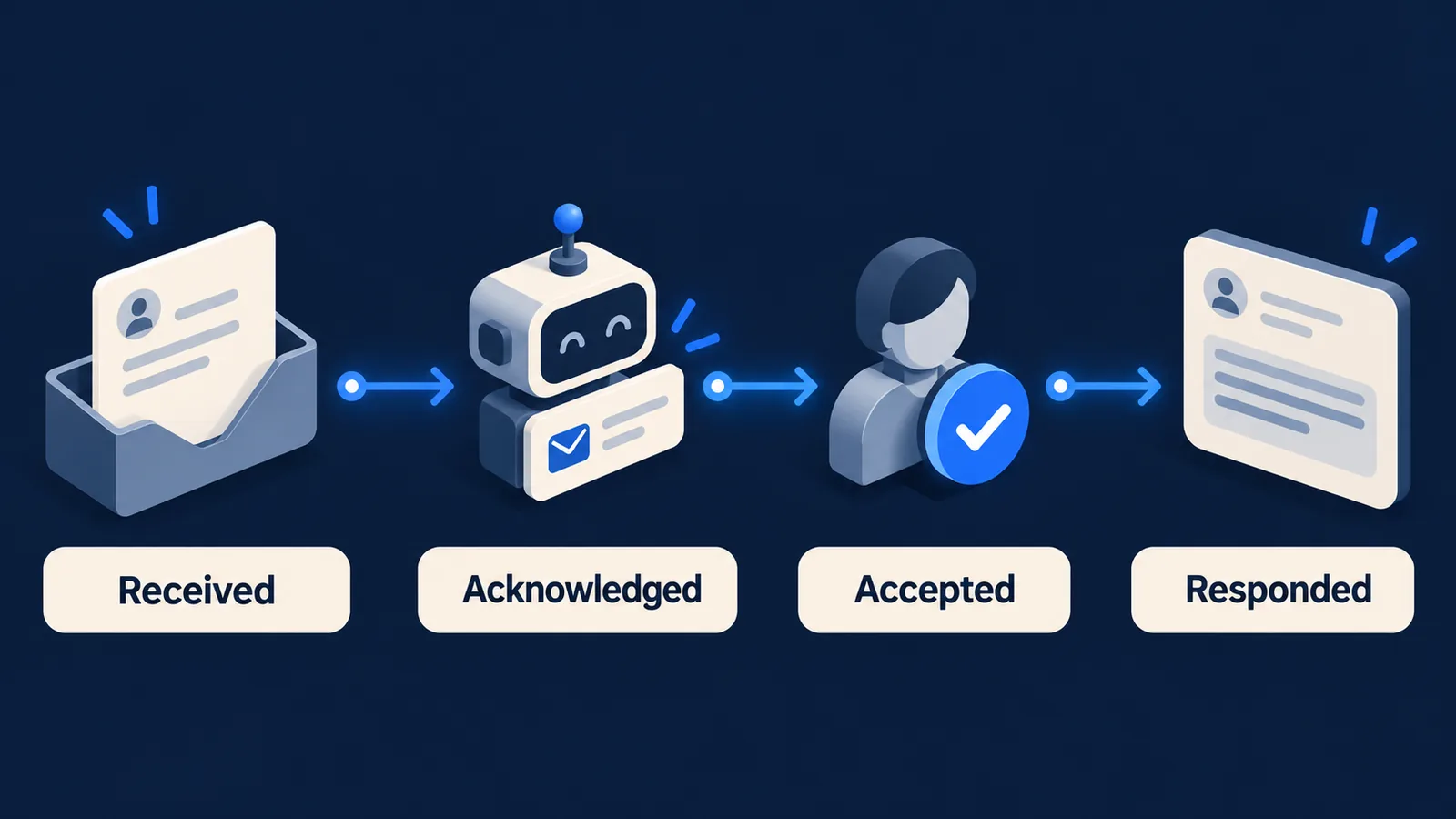
- An acknowledgement confirms receipt; a meaningful response addresses the request or proposes a relevant next step.
- Report elapsed and staffed-hour time separately, including unanswered and overdue inquiries.
A weekend inquiry can have a 20-minute staffed wait and a 3,860-minute customer wait
L-410 arrives Friday, October 16, 2026 at 16:50 and receives a meaningful response Monday, October 19 at 09:10 in Winnipeg. The reference assumes staffed hours of 09:00–17:00 Monday to Friday, with no holiday adjustment. Ten staffed minutes remain on Friday and ten pass on Monday: 20 staffed minutes. The customer experiences 64 hours and 20 minutes, or 3,860 elapsed minutes.
Neither number is wrong. They answer different questions. Elapsed time describes the customer's wait; staffed time describes performance within the declared coverage schedule. Publish the schedule and method next to the metric. Do not use a business-hours calculation to imply the customer heard back in twenty actual minutes.
The automatic acknowledgement occurs after one minute and the owner accepts after five elapsed minutes. Those are separate events, not substitutes for the meaningful response. L-411 remains unanswered in the fixture and must appear in an open-work measure rather than being converted into a zero-minute response.
Worked example. The supplied records and decisions are inspectable reference material, with no claimed customer results or measured model performance.
| Clock | Result | Interpretation |
|---|---|---|
| Receipt to acknowledgement | 1 elapsed minute | Receipt confirmed only |
| Receipt to owner acceptance | 5 elapsed minutes | Responsibility accepted |
| Receipt to meaningful response | 3,860 elapsed minutes | Actual customer wait |
| Meaningful response in staffed hours | 20 staffed minutes | Coverage-dependent operating measure |
| L-411 unanswered | Response value missing | Open backlog; no zero imputation |
Download the working files
Use the completed example and templates alongside this guide. Files open directly with no signup.
- Completed weekend response example
- Metric-definition pattern
- Reference-library instructions and example limits
- Complete reference library with local check script (ZIP) — extract the files before running the optional check.
1. Define exactly what starts and stops the clock
Use a stable received timestamp from the source channel: form submission, incoming email or recorded phone inquiry. Preserve the source event identifier and time zone so imports and retries cannot reset the clock.
Define the stopping event in business terms. A reply that answers the request, asks an essential clarification or proposes a relevant appointment can be meaningful. A generic receipt message or an internal task notification should be measured as a different event.
Acknowledgement time
Acknowledged timestamp minus received timestamp.
Acceptance time
Owner acceptance timestamp minus assignment timestamp.
Meaningful response time
First qualifying outbound response timestamp minus received timestamp.
Conversation start
Record the first customer reply separately from an outbound attempt.
2. Set response targets around real coverage
Choose an internal target by inquiry type, urgency, channel and staffing. There is no universal response threshold that suits every business. A time-sensitive service request and an early research question may need different coverage and escalation.
Publish an honest customer expectation when useful. After-hours acknowledgement can explain when a person will respond without pretending a fully staffed operation is available. Critical service requests may belong in a separate support or emergency process rather than the sales queue.
Keep elapsed time and staffed-hour time available. Staffed-hour calculations explain performance against coverage; elapsed time describes the customer's wait. Define the calendar, holidays and daylight-saving handling used in the calculation.
Worked example: elapsed time versus staffed-hour time
Worked example: a website inquiry arrives Friday at 4:50 p.m. A receipt message goes out at 4:51 p.m. An owner accepts at 4:55 p.m., and a relevant reply goes out Monday at 9:10 a.m. Coverage is weekdays from 9:00 a.m. to 5:00 p.m., with no holiday in this example.
Acknowledgement took one minute and owner acceptance took five minutes from receipt. Meaningful response took 64 hours and 20 minutes of elapsed time, or 20 staffed minutes. All three facts matter; reporting only the one-minute receipt would misdescribe the customer experience.
If the business decides this wait is unacceptable for that inquiry type, change Friday coverage, the handoff or the promised deadline. The calculation identifies the operating decision; it does not establish that the chosen target is commercially optimal.
3. Build a response workflow with an accountable fallback
Capture the inquiry, check identity and channel validity, acknowledge receipt, assign an eligible owner and create the next-action deadline. Give the owner the original message so they can respond without reconstructing the inquiry from scattered systems.
Use the CRM lead routing workflow for assignment logic. Escalate an unaccepted inquiry to a real backup owner or monitored queue before its response target is missed.
Do not keep escalating after a relevant response, closure or deliberate human takeover. If reassignment occurs, preserve the original received time and prior actions so ownership changes cannot make an overdue inquiry look new.
Before the deadline
Remind the owner with the inquiry, required action and remaining time.
At the deadline
Alert the accountable fallback and record the missed target.
After resolution
Record the response and cause of delay for operating review.
4. Use AI where it makes the response more useful
AI can identify the requested service, extract missing facts and draft a relevant first reply from approved information. Have it distinguish what the customer actually said from an inferred need. Route uncertain classification and material commitments to a person.
A fast generated reply should still be checked against the response definition. A message with invented availability or an irrelevant booking link may be quick while increasing the customer's work. Measure correction and escalation as well as speed.
OpSmith's lead follow-up automation service connects intake, response, qualification and booking so the response event leads into an owned next step.
5. Report response time without hiding unanswered leads
Report the median and a slower-tail measure such as the 90th percentile for responded inquiries. Show the number still unanswered, their age and the percentage beyond target alongside those figures. A response-time average calculated only on completed cases excludes the work most at risk.
Segment by inquiry type, source and coverage period before comparing teams. Keep duplicates, spam and service requests in explicit dispositions rather than removing difficult cases without a reason.
Use the report data validation checklist to check timestamps, populations and exclusions. Maintain a consistent definition when comparing periods.
6. Test timing and event-order failures
Test a form retry, a delayed CRM import, a customer reply before assignment, a booked meeting before a scheduled nudge, an absent owner and a message-provider timeout. Confirm which timestamp is preserved and which action remains allowed.
If the provider's send result is uncertain, check its event log before retrying. Store delivery and bounce status separately from the send attempt; a logged outbound action does not prove the customer received it.
Return to the lead management workflow to connect response timing to qualification, accepted ownership and customer outcomes.
Make the denominator and missing population visible
Define which event counts as a meaningful response for the inquiry type. A direct clarification may qualify when it advances the decision; a generic receipt message does not. Store event types so reporting can distinguish them without interpreting every email again.
Report answered and unanswered populations together. Percentiles calculated only from completed responses omit unresolved waits, which can make an overloaded queue look faster. Show the outstanding count and oldest age, then segment completed response times by source, coverage window and inquiry type where the sample is large enough to be useful.
Use a declared timezone, working calendar and treatment of holidays or closures. Daylight-saving changes and cross-region owners can alter calculations. Preserve original timestamps and calculate from them rather than storing a rounded duration as the only evidence. A small example demonstrates the method; it cannot establish a meaningful service-wide percentile or benchmark.
Try it with your own process
Recalculate L-410 in elapsed minutes and staffed minutes from the raw timestamps. Change Monday coverage to begin at 10:00 and determine how the method handles a response outside declared hours. Then add L-411 to the report without inventing its response time. Explain both the completed-time metric and the unresolved backlog to someone reading the dashboard for the first time.
Acceptance checks for this example
- Acknowledgement, acceptance and meaningful response remain separate.
- The declared schedule reproduces 20 staffed minutes.
- Missing response timestamps remain missing and open work remains visible.
Technology choices and what to test
Calculate timestamps and coverage intervals with explicit application rules. A model can help classify whether a response advances the customer's question, but it should cite the message and permit review of ambiguous classifications.
Evaluate reply classification using labelled examples such as acknowledgements, clarification questions and substantive answers. Check current CRM event definitions and timezone behavior in platform documentation before relying on their reported response-time metric.
Technology references checked October 28, 2026. Model availability and platform behavior can change; confirm the current documentation before implementation.
Compare candidates on a labelled sample from the intended workflow: correctness, preserved unknowns, unsafe proposed actions, reviewer effort, latency and cost. Keep expected outcomes separate from generated answers. Record model identifier, settings, prompt, rules and connector version so a change can be tested against the same cases.
Frequently asked questions
What is a good lead response time?
Set a target that fits the inquiry's urgency, channel, customer expectation and actual coverage. Establish a baseline, then evaluate whether faster meaningful responses improve the relevant business outcomes.
Does an automatic email count as a lead response?
It counts as an acknowledgement if it only confirms receipt. Count it as a meaningful response only when it meets your documented criteria for addressing the request or proposing a relevant next action.
Should weekends be excluded from response time?
Show both elapsed time and time within your defined coverage calendar. One describes the customer's wait; the other measures performance against staffed coverage.
How do you measure unanswered inquiries?
Keep them in an open population with current age, owner and overdue status. Do not include them as zero-minute responses or silently exclude them from the operational report.
Does faster response prove higher conversion?
No. Track conversion separately and compare similar inquiries. Fit, source, offer, pricing and human sales work can also affect outcomes.
Sources and further guidance
These official references provide relevant technical, privacy, risk-management or accountability guidance. OpSmith applies the useful principles to the operation of one business workflow.
- Unenroll contacts from a sequenceHubSpot Knowledge Base
- Assign and rotate record owners using workflowsHubSpot Knowledge Base