
- Pause when the process lacks a stable outcome, reliable inputs, accountable ownership or enough repeatable volume.
- Keep consequential judgment and ambiguous cases human-led unless safe review and recovery controls are proven.
- A no-go decision should name the condition that must change before the workflow is reassessed.
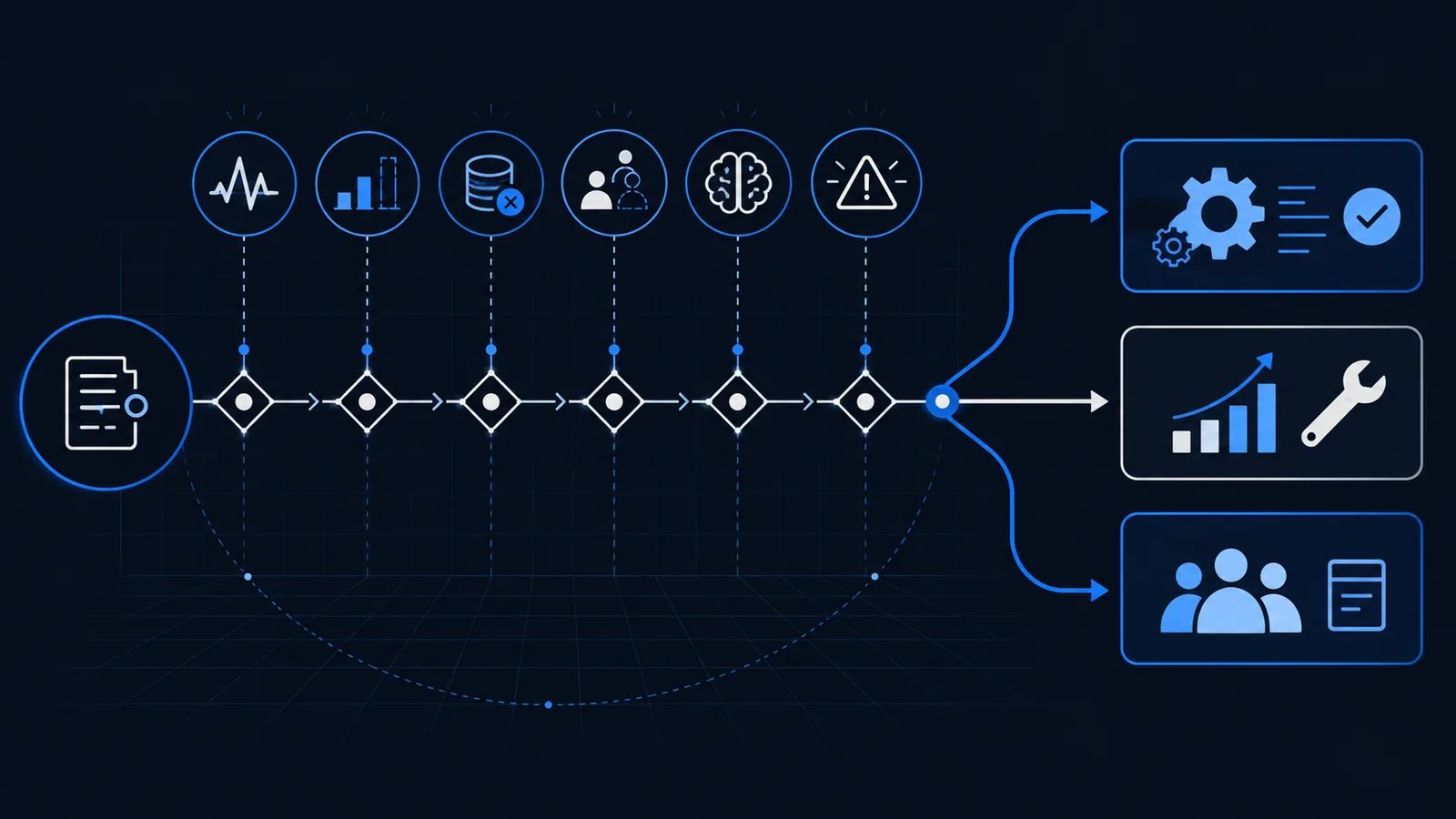
1. The process or desired outcome is still changing
Automation encodes a way of working. If teams disagree about the intended output, policies change frequently or the process is being redesigned, a build can harden yesterday’s workaround and create new dependencies around it.
First define the purpose, remove unnecessary steps and confirm the boundary with the people who perform and own the work. Reassess only after representative cases show that the common path is stable enough to describe and test.
Warning sign
Different people describe different required outputs or change the steps for reasons nobody has documented.
Better next move
Improve and stabilize the process, then observe whether the revised path holds across real cases.
2. Volume and value do not justify the operating cost
A repetitive task is not automatically a good investment. Low volume, short handling time or a temporary backlog may produce less benefit than the cost of discovery, integration, testing, monitoring and maintenance.
Use an automation ROI calculator with conservative assumptions. Compare automation with simpler changes such as a better form, template, checklist, system configuration or clearer ownership.
Warning sign
The estimate counts theoretical time saved but omits review, exception handling and ongoing ownership.
Better next move
Fix the process with the least complex intervention that can produce and sustain the required result.
3. The inputs are unavailable, unreliable or not permitted
A workflow cannot make dependable decisions from missing, inconsistent or inaccessible information. Manual staff may compensate by recognizing a sender, checking another system or calling a colleague—context that disappears when the documented input is handed to automation.
Confirm where each input comes from, whether it may be used for the stated purpose, how quality is checked and what happens when sources conflict. Data cleanup and better capture often create more value than automating around weak inputs.
Warning sign
Success depends on private spreadsheets, undocumented memory or data the workflow is not authorized to access.
Better next move
Improve capture, permissions, validation and source ownership before building downstream actions.
4. Exceptions are the process, not the edge case
A proposed standard path may cover too few real items to create useful automation. When most cases require clarification, negotiation or a different source, the project can shift labour from doing the work to supervising and repairing it.
Review enough recent cases to identify a business process worth automating. Count exception types and frequencies. A narrow, high-confidence subset may still be suitable even when the full process is not.
Warning sign
The workflow diagram has a simple happy path, but completed cases reveal many unowned variations.
Better next move
Narrow the boundary to a repeatable case type and leave the remainder in an explicit human queue.
5. The outcome depends on accountable human judgment
Some decisions depend on negotiation, professional expertise, risk appetite, empathy or context that is difficult to observe and test. Preparing information or a draft may be useful, but delegating the decision can remove the person who must be accountable for its consequences.
Design human-in-the-loop automation when technology can assemble evidence, check completeness or prepare a recommendation while an authorized person retains the consequential decision.
Warning sign
People cannot explain a stable rule because the answer legitimately depends on circumstances and authority.
Better next move
Automate preparation and routing, then preserve informed review with the evidence needed to decide.
6. A wrong action cannot be contained or reversed
Do not grant production authority when an incorrect action could create a material commitment, disclose sensitive information, damage a record or affect a person without an effective control. A plausible accuracy percentage does not describe the consequences of the remaining errors.
Apply an AI governance framework to define authorized purpose, permissions, review thresholds, evidence, monitoring and recovery. If the harm cannot be bounded, keep the action human-controlled.
Warning sign
The team can describe how the workflow succeeds but not how it detects, contains and recovers from failure.
Better next move
Reduce authority, require approval or redesign the transaction so uncertain work cannot propagate.
7. Nobody owns the live workflow and organizational change
Automation needs an operating owner after launch. Connected systems change, inputs drift, staff responsibilities move and exception patterns evolve. Without a named person who can respond, approve changes and judge business performance, a working demo can become an unmanaged dependency.
Confirm ownership, support coverage, escalation expectations, training and controlled-change procedures before production. If the business cannot resource those responsibilities, it is not ready to operate the automation safely.
Warning sign
The implementation team owns the launch, but no business owner accepts the ongoing outcome and exception queue.
Better next move
Assign operating accountability and define monitoring, response and change procedures before release.
Choose among automate, improve first or keep human
The broader guide to how to automate business processes starts with a bounded outcome and uses evidence at each decision. A responsible assessment can reach three useful results: automate a controlled scope, improve or narrow the process before reassessment, or keep the work human-led.
Document the reason and the evidence behind the decision. For a pause, name what must change—such as input completeness, case volume, exception rate, ownership or reversibility—and when the process should be reviewed again.
OpSmith’s business process automation audit evaluates one recurring workflow and produces a map, opportunity score and implementation recommendation without assuming that automation is the answer.
Automate
The bounded scope has stable inputs and rules, measurable value, accountable ownership and controlled exceptions.
Improve first
The opportunity is real, but the process, data, boundary or ownership must be strengthened before design.
Keep human
The work is low-volume, judgment-heavy or too consequential to delegate within acceptable controls.
Frequently asked questions
What business processes should not be automated?
Avoid automating processes with unstable outcomes, weak economics, unreliable inputs, mostly exceptional cases, consequential judgment, uncontainable failure risk or no accountable operating owner.
Is a highly manual process always a good automation candidate?
No. Manual effort may signal unclear rules, poor data or legitimate judgment. Assess repetition, value, inputs, exceptions, risk and ownership before treating labour as automatable work.
Can part of a process be automated when the full process is not ready?
Often. A narrow scope can prepare information, validate inputs or route work while a person retains the complex or consequential decision.
Should an inefficient process be automated?
Improve it first when unnecessary steps, unclear ownership or inconsistent outputs are causing the inefficiency. Automating those conditions can preserve and accelerate the problem.
When should a paused automation opportunity be reassessed?
Reassess when the documented blocking condition has materially changed—for example, the process has stabilized, input quality has improved, volume is sustained or an accountable owner and recovery path exist.
Sources and further guidance
These official references provide relevant technical, privacy, risk-management or accountability guidance. OpSmith applies the useful principles to the operation of one business workflow.
- AI Risk Management Framework CoreNational Institute of Standards and Technology
- AI RMF PlaybookNational Institute of Standards and Technology
- Business process management stepsMicrosoft